The Update Video option is available in:
Workout Editor
Training Plan Editor
Exercise Editor
Exercise Library

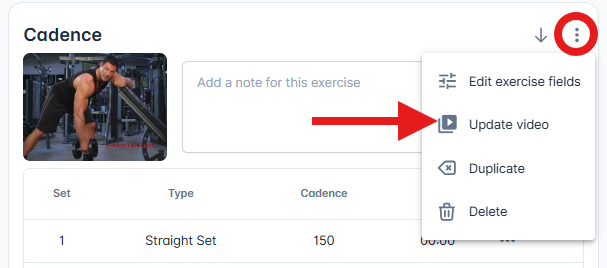
Open the exercise menu (three-dot menu)
Click Update Video
Paste a valid embed URL (YouTube, Vimeo etc)
When a valid URL is entered:
The video thumbnail updates immediately
The Done button becomes available
If the URL is not a valid embed link:
An error message will appear
The Done button will remain disabled
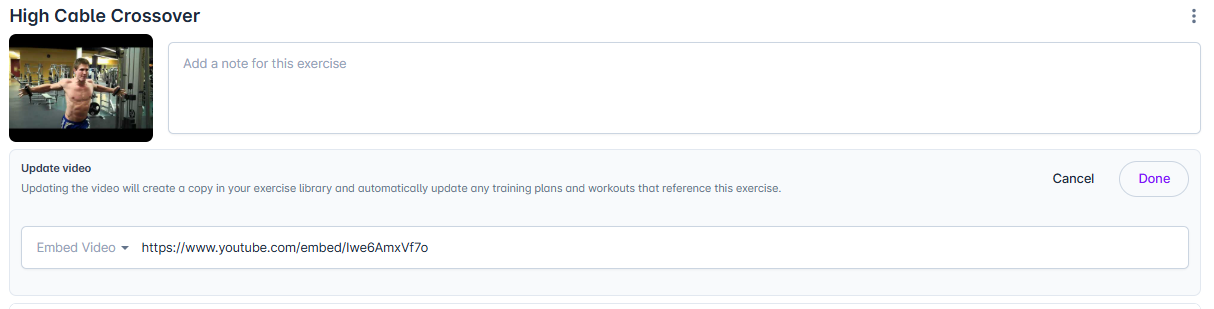
Click Done
Selecting Cancel restores the original video and thumbnail.
Changes are only final once the workout or plan is saved.
Navigate to Library > Exercises
Click on the exercise you want to edit
Under the Video Demonstration section, paste your updated video embed URL
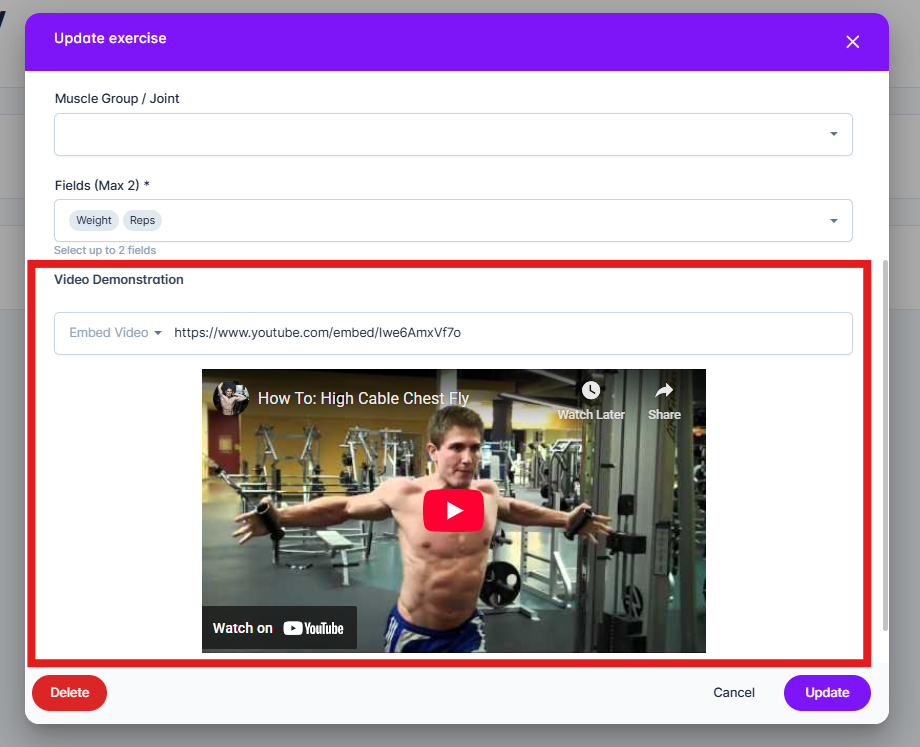
Click Update
You can also update the exercise video for a CoachKit library exercise by first cloning the exercise and then adding your own demonstration video. Follow the guide below to clone the exercise, then use the instructions above to update your video.
Can I copy exercises from the CoachKit library
Learn how to make a copy of a CK exercise and make it your own