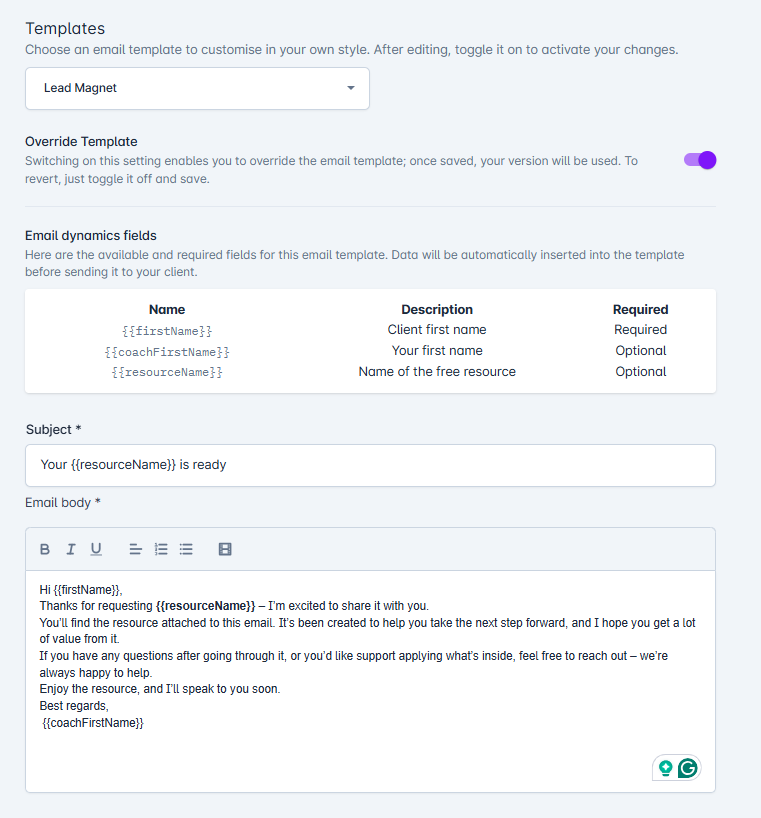
You can edit the email that’s sent when someone signs up for your lead magnet.
Follow these steps:
Go to Account → Settings → Email Configuration
Select the Lead Magnet template
Turn on the Override Template option
Update the subject and email content
Click Save
This lets you personalise the message and match it to your brand.