

On the MyFitnessPal Mobile App
Open the MyFitnessPal app on your smartphone or tablet
Access your profile by tapping the "More" tab at the bottom of the screen
Go to Settings by tapping the gear icon or "Settings" option
Select Diary Settings from the menu options
Find Diary Sharing settings
Choose "Public" from the available options
Save your changes by tapping "Save" or the checkmark
On the MyFitnessPal Website
Log into your account at myfitnesspal.com
Navigate to Settings by clicking the Settings link in the header links or from the navigation bar
Under Account Settings Locate Diary Settings option
Select "Public" from the diary sharing option under Diary Sharing
Save your changes by clicking the "Save Changes" button at the bottom of the page
On the CoachKit app
Go to my profile by selecting the avatar and my profile
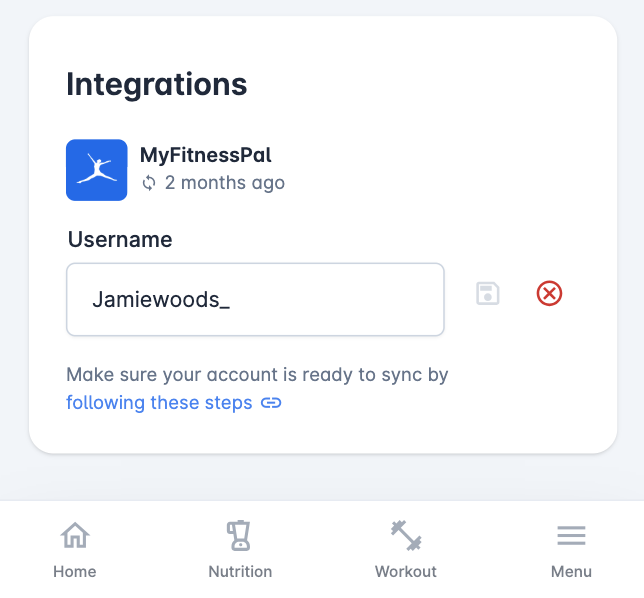
Scroll down to Integrations
Enter your public username as per the MFP app
Troubleshooting Sync Issues
If your MyFitnessPal diary isn't syncing with CoachKit, please verify:
Your MyFitnessPal diary contains recent food entries
The username under Integrations onn CoachKit exactly matches your MyFitnessPal profile name
Your MyFitnessPal diary is set to public and not locked with a key
At least 3 hours have passed since the last sync
Data Retention: All previously synced data remains in CoachKit after disconnection - only future syncing stops.