
You can send the same message to multiple clients at once through the bulk messaging feature. Here's how:
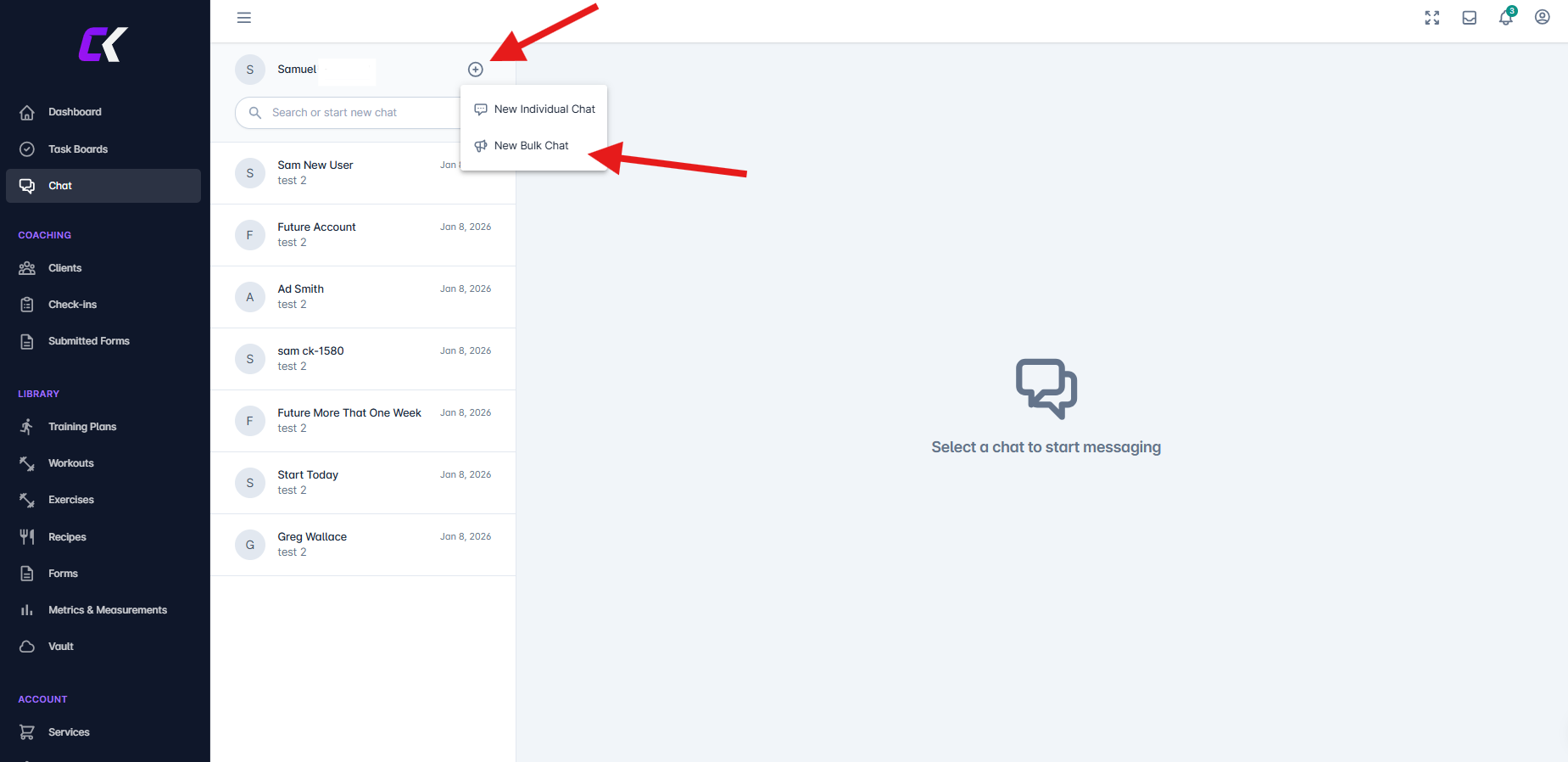
Navigate to the Chat section and click the + button
Choose "New Bulk Chat" from the options that appear
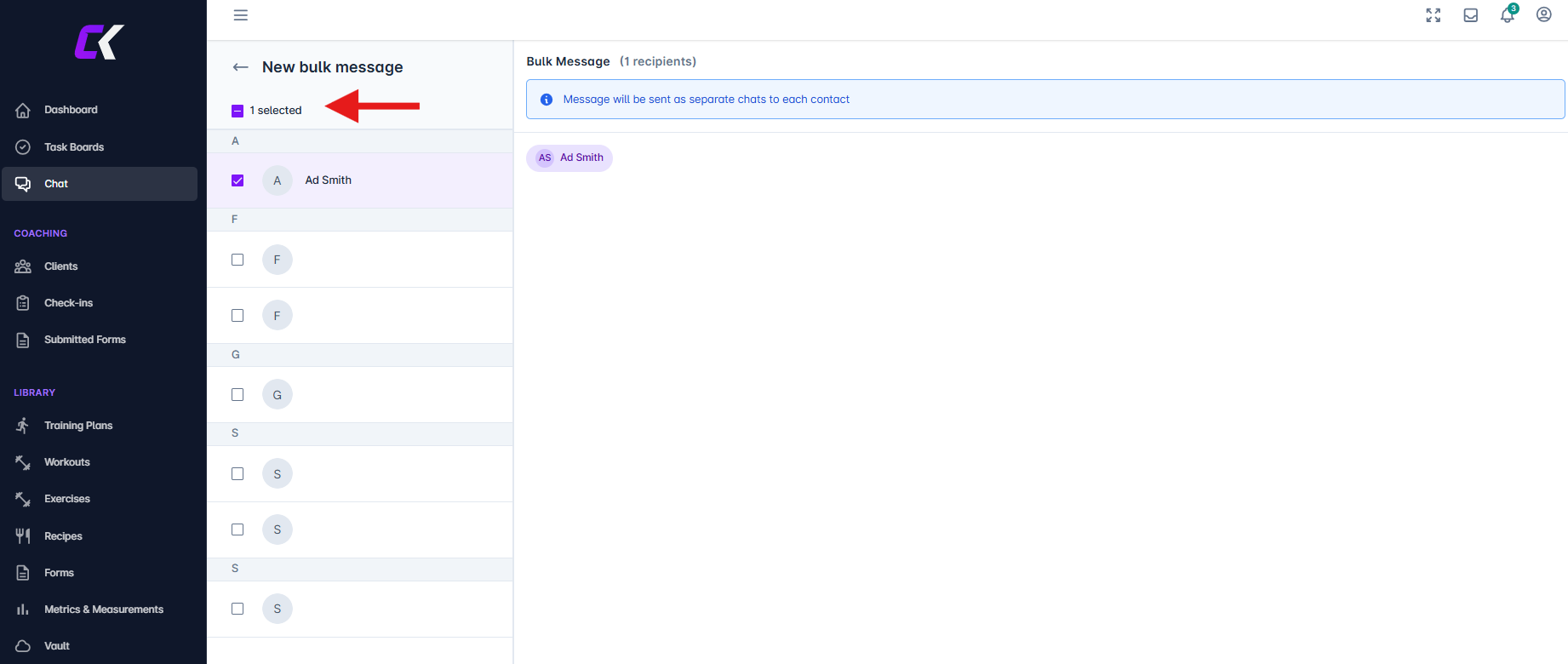
Select your recipients by either clicking "Select all" or manually checking the boxes next to individual client names. Your selected recipients will display in a list above the message field
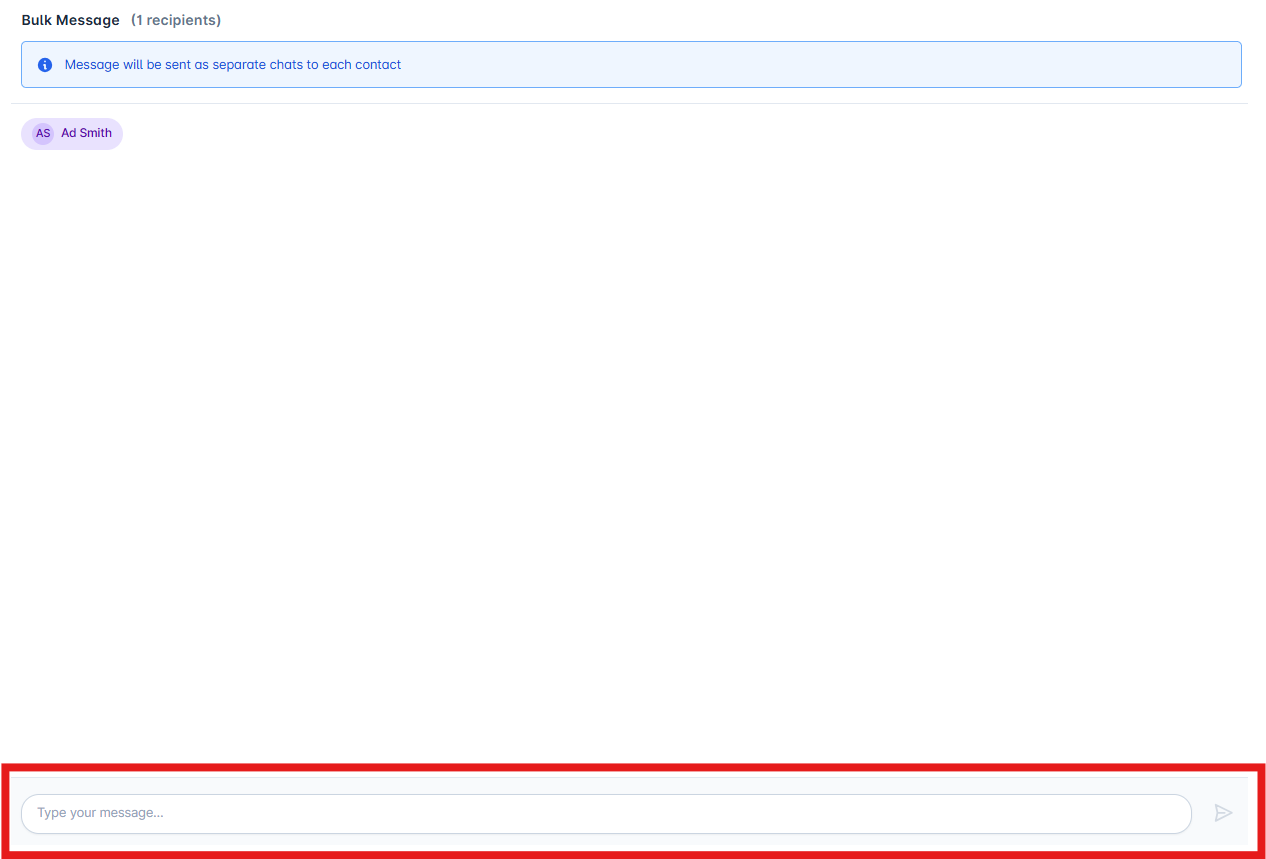
Type your message in the text box and click “Send”
A confirmation message will appear once the message has been delivered to all selected clients.

Each client receives the message as an individual chat, not as a group conversation
To return to the main chat view, click the “back arrow”